 Store
SET UPYOUR REAL GUITAR
Turn your real guitar into an arcade controller. Fret Arcade's games listen to the notes you play, right in your browser: no download and no special controller. Electric or acoustic, through a microphone, your phone or an audio interface.
Answer three quick questions below and you'll get the setup for exactly what you have. You can change it any time in the game's Your setup menu. New to guitar? Soundcheck walks you through tuning up and your six strings in about three minutes.
What it's like
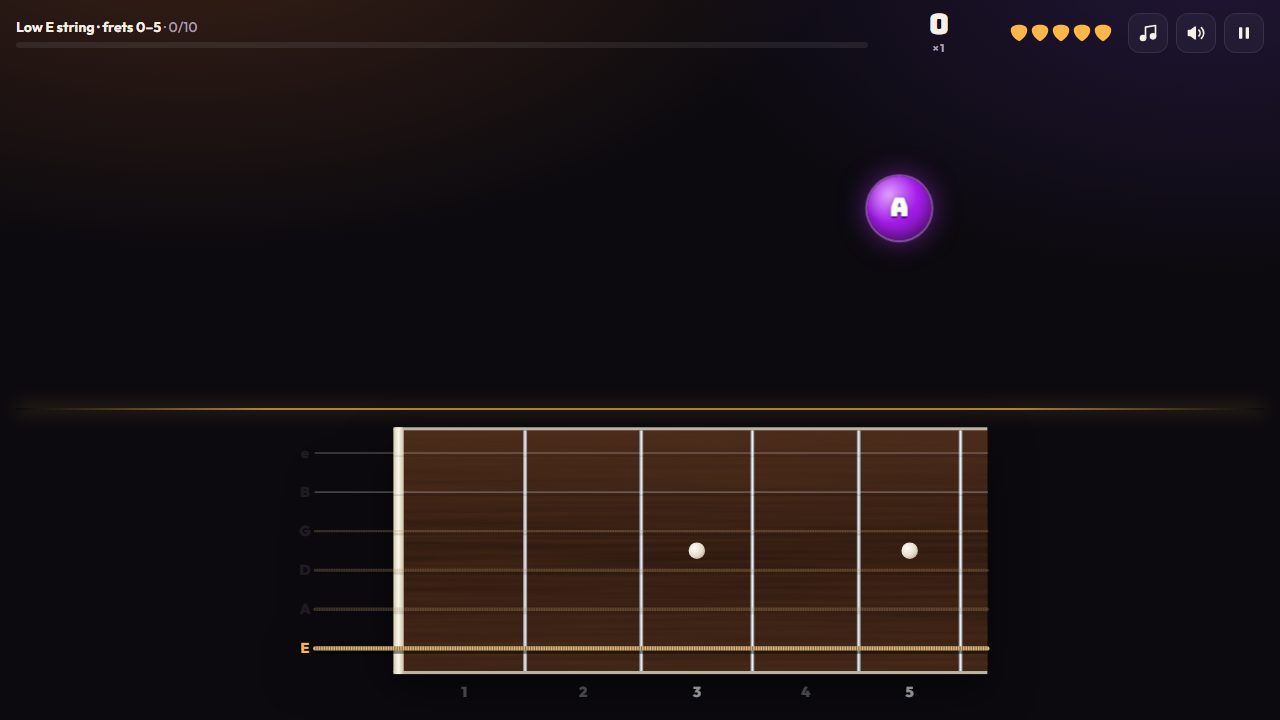
- Notes fly at you; play them on your guitar to blast them.
- Levels and bosses that take you around the whole neck.
- Free to play in your browser.
1/3 What are you playing?
2/3 How does it get to the game?
3/3 How do you want to hear yourself?
Every setup, in full
The details behind each answer. Tap one to open it.
Plugged in
An electric guitar, or an acoustic with a pickup, plugged into your computer. The game gets a clean signal straight from the strings, so it hears every note, even fast ones, and the band and music can play out loud.
What you need
- Your guitar, electric or acoustic with a pickup.
- A way into the computer: an audio interface, or a guitar-to-USB cable. Use the instrument (Hi-Z) input.
- Headphones or speakers. Plug them into the interface if it has a headphone jack. Wired is best: Bluetooth adds a lot of latency.
- A recent Chrome, Edge, Firefox or Safari.
Set it up
- Plug in the guitar and the interface before you open the game.
- Open Your setup, choose Play my guitar, then Plugged in.
- Allow access to your input when the browser asks. Then pick your interface in the Input list (names show up once access is allowed).
- Play a few notes and watch the level meter. Set the gain knob on your interface so loud picks stay out of the red. The game tells you if it's too loud or too quiet.
- Tap Open tuner and tune up. The game plays best in tune.
- Decide how you'll hear your guitar: see Hearing your guitar below. Then, for songs, run Check my timing once.
Only plugged in: the game's built-in amp, and Prog Metal, the hardest song difficulty. Wrong notes also count against you (so the game can coach you) plugged in or with a cable into your phone. A microphone would hear the game's own sounds, so these stay off for it.
Your phone
Your phone becomes the guitar's ears. It listens, works out each note, and sends just the note name to the game on your computer. No sound is sent and nothing is saved. Its mic is for an acoustic guitar; an electric plugs into the phone with a guitar cable.
Two ways to connect the guitar
- The phone's mic, for an acoustic guitar. Prop the phone near the sound hole. Nothing else needed.
- A guitar cable into the phone. An electric guitar plugged straight into the phone with a guitar-to-phone adapter or a 1/4-inch to USB-C (or Lightning) guitar cable. The phone hears only the strings, like plugged in.
Set it up
- On the computer, open Your setup, choose Play my guitar, then My phone. A QR code appears.
- Scan it with your phone's camera. The phone page opens in its browser and connects.
- Using a cable? Tick A guitar cable is plugged into this phone on the phone. Only tick it with a cable in: the phone's mic would hear scrapes as notes.
- Tap Tune your guitar and tune up on the phone, or I'm already in tune.
- Play a note. It shows on the phone and in the game. Keep the phone's screen open while you play.
Same Wi-Fi is fastest. With the phone and computer on the same network, notes arrive in a few milliseconds. If they can't reach each other directly, notes go through the internet instead ("a little slower"): it still works, and Check my timing evens it out for songs.
Songs and the phone's mic: the band plays from the computer, and the phone's mic would hear it as your notes. Wear headphones on the computer (headphones on the phone don't help) and turn on I'm wearing headphones. With a cable ticked, you don't need them.
What you'll hear with a cable: the phone listens, it doesn't play your guitar back. An unplugged electric is quiet, which is fine for practice. Some guitar-to-phone adapters have their own headphone jack, so you can hear yourself through that.
A microphone
For an acoustic guitar without a pickup. Your computer's built-in mic works, or any mic it can see. Got an electric, or an acoustic with a pickup? Plug it in dry instead, even if you also play through an amp (a mic on an amp hears the amp's sound and the room, not your strings): see Playing through your own amp.
Good to know
- The mic hears everything in the room, so the game turns its music off while you play, unless you're wearing headphones.
- For songs, put on headphones and turn on I'm wearing headphones, so the mic hears your guitar and not the band.
- Wrong notes don't count against you with a mic: it can't tell your notes from the game's sounds. Right notes always count.
Set it up
- Open Your setup, choose Play my guitar, then Microphone.
- Allow the microphone when the browser asks.
- Play a few notes near the mic. If the game says it's quiet, move closer; if it's very loud, move a little away.
- Tune up with Open tuner.
Just tap
No guitar needed. Tap or click the notes on the fretboard, or press the keys A to G when the game asks for a note's name. It works on phones and laptops, and it's a great way to learn where the notes are before you pick up the guitar. Switch to Play my guitar whenever you're ready: tapping still works alongside it.
Hearing your guitar
When you're plugged in, the sound of your guitar has to come from somewhere. You have four choices. The game always judges your clean, dry guitar, so whichever you pick, your score is the same.
| How you hear it | Latency | What it's like | Set it up |
|---|---|---|---|
| Your interface's direct monitoring | Zero | Your plain guitar, no amp sound, the instant you play. | Turn on direct monitoring on your interface (a button or knob on many). In the game, set Hear my guitar to Off. |
| A real amp or pedal | Zero | Your own rig, exactly as it sounds. | Split your guitar before the amp, so the interface gets the dry guitar: see Playing through your own amp. Hear my guitar: Off. |
| Your own amp software | About 5–10 ms | Any amp-modeling plugin or app you already use. Feels instant. | See Play with zero latency below. Hear my guitar: Off. |
| The game's built-in amp | Some, often 60–80 ms | Clean, crunch, high-gain and fuzz tones captured from real amps, with knobs and pedals. Nothing to install. | Set Hear my guitar to Amp (or Clean). Hear the amps first. |
Hearing notes on their own? If notes play when you're not touching the guitar, turn off "loopback" in your interface's settings: it's sending the game's sound back in as an input.
Playing through your own amp
The game listens for your picks and reads each note's pitch, and it needs your dry guitar for that. An amp's direct out (or an XLR or line out) sends the amp's sound instead: distortion holds every note at the same loudness, hides the pick, and adds overtones, so the game misses most of what you play. In our test, a high-gain channel let the game hear about 1 in 4 notes, and even a clean channel missed some and added notes that weren't played. If the game hears an amp or a distortion pedal, it tells you under the level meter.
| Setup | What you need | How it works |
|---|---|---|
| The game's built-in amp | Nothing extra | Plug the guitar into your interface and set Hear my guitar to Amp. The tones are captured from real amps. |
| Split before your amp | A DI box with a thru jack, an A/B/Y pedal, or a tuner pedal with two outputs | One output goes to your interface (the dry guitar, for the game), the other to your amp (for you). Your amp sounds exactly as it does now, with zero latency. |
| Send the dry guitar on to your amp | An interface with a spare output and its own mixer software; a re-amp box is best | Guitar into input 1. In your interface's mixer, send input 1 to a spare output and on to your amp (through the re-amp box, or with the output turned well down). If your amp's direct out comes back into the interface on input 2, set Channel to Input 1 only in Your setup, so the game hears just the guitar. |
Effects pedals: tuners and clean boosts in front of the interface are fine. Distortion, fuzz, compressors, delay and reverb change what the game hears, so put them on the amp's side of the split.
About latency
Latency is the time your guitar's sound takes to travel into the computer, through the amp, and back out to your ears. A real amp has none. Software always has some, and a web browser adds the most, because it isn't built for live audio. That's the browser and your computer's audio drivers, not your guitar or the game.
How much, roughly
- Windows, in Chrome: about 60–80 ms through the game's amp. We measured 73 ms on a typical audio interface at a 256-sample buffer. Firefox was a little higher.
- Mac: usually lower, as Macs handle audio better.
- Your own amp software: about 5–10 ms with your interface's own low-latency driver.
- A real amp, pedal or direct monitoring: zero.
Does it affect my score?
No. The game listens to your dry guitar the moment you pick, before any amp, and songs time each note from your pick. Latency only changes how playing feels.
For songs, run Check my timing once (in Your setup, or the pause menu): you pick along with 16 clicks, and the game learns how early or late you land and takes that out.
Fine with the game's amp
- Every Fretblast level: Find it, Name it, the Daily, practice and the drills.
- Learn it, a phrase at a time, at any speed.
- Songs on Soft Rock and Alt Punk.
- Gigs and the slower modes.
Most players find it fine for learning, and it gets easier to ignore after a song or two.
Best with zero latency
- Fast songs and fast runs, where notes come every tenth of a second or so. The amp's sound lands on top of your next note and it can feel smeared.
- Prog Metal, the hardest song difficulty, opens only plugged in with the game's amp off: it needs zero latency.
Lower it
- Set a smaller buffer size in your audio interface's settings (128 or 256 samples).
- Use wired headphones. Bluetooth adds a lot of latency, often a quarter of a second.
- Close other programs that use audio, and use Chrome or Edge on Windows.
- For zero, hear your guitar through one of the zero-latency options above.
Choppy, or notes feel late?
If the game stutters, falling notes jump, your notes seem to land late, and even typing in the browser's address bar gets slow while a game is open, your browser is probably drawing without your graphics card. Everything then runs on the processor, and it can't keep up. The game shows a tip when it notices this. It's quick to fix.
Chrome, Edge, Brave or Opera
- Type
chrome://settings/systemin the address bar (Edge:edge://settings/system) and press Enter. - Turn on Use graphics acceleration when available.
- Press Relaunch.
Firefox
- Open Settings, then General, and scroll to Performance.
- Untick Use recommended performance settings.
- Tick Use hardware acceleration when available, then restart Firefox.
Still slow on a laptop?
Many laptops have two graphics chips, and Windows may give your browser the weaker one. In Windows Settings, go to System, Display, Graphics, pick your browser and set it to High performance, then restart the browser.
Play with zero latency
Already have amp software you like, a free amp-modeling app, or a plugin in your recording software? Play through it, and let the game listen alongside. You hear your tone with almost no latency, and the game hears your dry guitar.
- Run your amp software on your audio interface, using the interface's own low-latency driver (ASIO on Windows; on a Mac, the standard one is already low latency). Play and check you hear your tone.
- In the game, open Your setup, choose Play my guitar, Plugged in, and pick the same interface in the Input list.
- Set Hear my guitar to Off, so you don't hear your guitar twice.
- Turn the game's music to taste, run Check my timing, and play.
If the game can't open your interface while your amp software is running: on Windows, some interface drivers let only one program use the interface at a time. Check your interface's settings for an option to share it with other programs, or let the browser use the interface's standard Windows driver while your amp software uses ASIO. If neither works, a real amp or direct monitoring (above) gives you zero latency with no software at all.

Want almost no latency built in?
The Fret Arcade desktop amp is coming soon for Windows (Mac later): the game's amp tones at about 5 ms, with its own low-latency audio engine and nothing else to set up. It's included with Early Access.
Questions
The browser blocked my microphone or interface
Open your browser's site settings for Fret Arcade (the icon next to the address) and allow the microphone, then reload. The game only works on a secure (https) page, so make sure the address starts with https.
My audio interface isn't in the Input list
Plug it in before opening the game, allow access to your input once (device names only show after that), then pick it from the list. If it still isn't there, check your computer sees it as an input in its sound settings.
The game says my signal is clipping or too quiet
Too loud: turn the gain knob on your interface down until the warning goes away, or your guitar's volume knob. Too quiet: turn the gain up. On a phone with a cable, use your guitar's volume knob. With a mic, move it closer or further away.
Notes play on their own when I'm not playing
Your interface is probably sending the computer's sound back in as an input ("loopback"). Turn loopback off in the interface's settings. With a microphone, wear headphones so it doesn't hear the game.
My phone won't connect
Put the phone and computer on the same Wi-Fi, scan the code again, and keep the phone's screen open while you play. A code expires after 10 minutes unused, so cancel and get a fresh one if it's been a while.
Can I use Bluetooth headphones?
They work, but Bluetooth adds a lot of latency, often a quarter of a second, so your guitar and the music will feel late. Wired headphones are much better for playing.
Why is Prog Metal locked?
Prog Metal is the fastest, hardest way to play a song, and it needs zero latency. It opens when you're plugged in with Hear my guitar off, hearing your guitar through your own amp, pedal, amp software or direct monitoring.
Does my amp tone change my score?
No. The game always listens to your dry guitar to judge notes, so you can play through any amp, any pedal and any settings.
Ready? Plug in and play
ASIO is a trademark of Steinberg Media Technologies GmbH, registered in Europe and other countries.